
Synchronize the episode
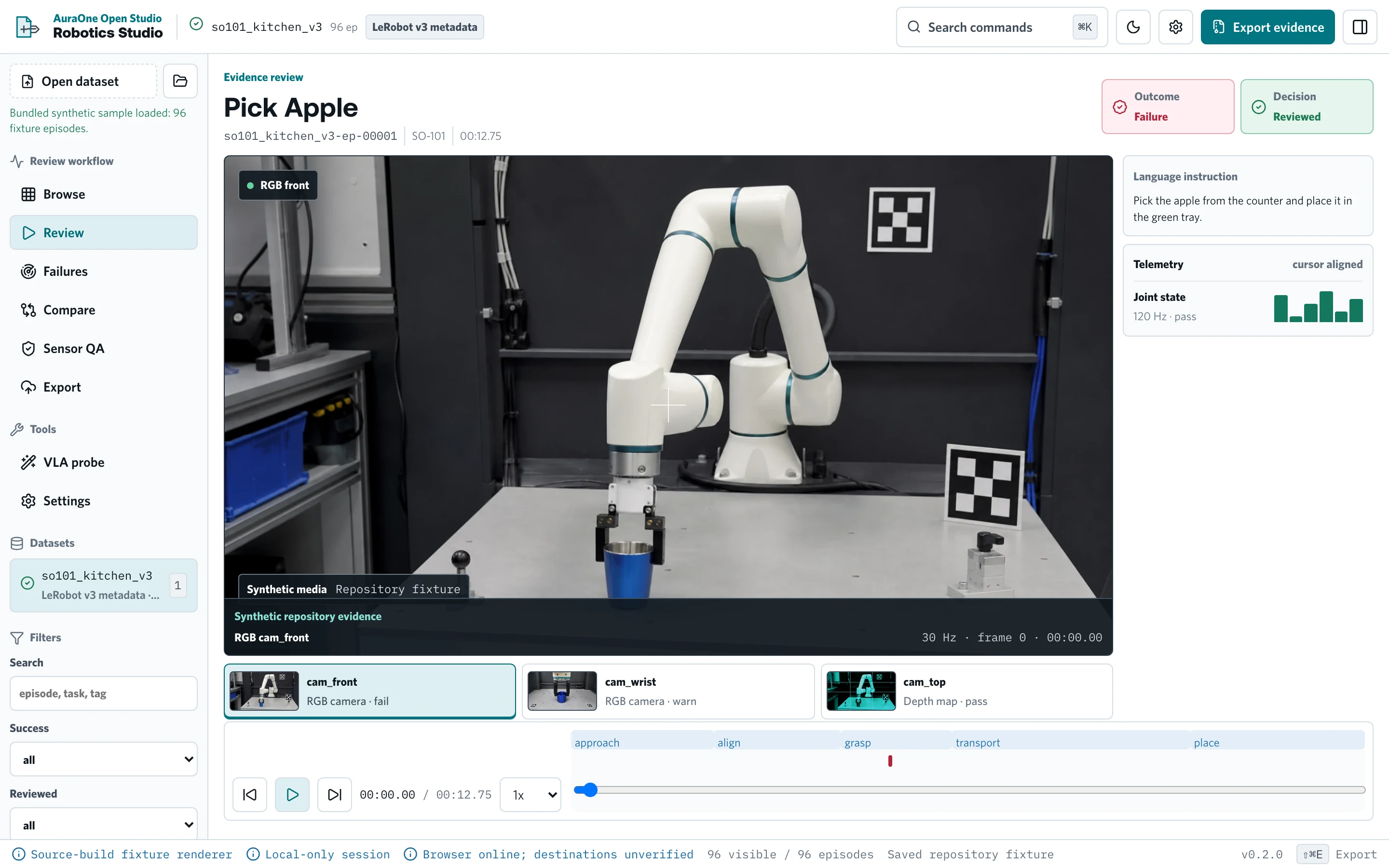
The sensor scene, the action phases, and the annotations share one timeline.
AuraOne Open
Loading products, source links, and current releases.
AuraOne Open / Robotics data review
Open the bundled example or your own JSON or JSONL manifest. Inspect the failures and recoveries. Export what you approved.
For robotics and embodied-AI teams that need local-first dataset inspection with portable exports.
What you can do
Get started
Clone the repository, inspect dataset and rights boundaries, then follow the current README for supported local setup.
git clone https://github.com/auraoneai/robotics-studio-open.gitThe sensor scene, the action phases, and the annotations share one timeline.
Tag moments, compare clusters, and keep reviewer judgment beside the source sequence.
Download a local archive with manifests, quality results, and checksums.
See how the product moves from setup through a useful output.
01
Load the bundled example or a supported JSON or JSONL manifest and confirm its source and schema.
Dataset and source manifest
02
Actions, state, and sensor signals share the same episode timeline.
Episode inspection record
03
Record failure, recovery, and quality judgments with reviewer identity.
Annotations and cluster evidence
04
Confirm the selected episodes and the exclusions. Confirm the data-use boundaries.
Review decision
05
Create a local review archive, then connect a supported destination when the export is approved.
Reviewed release record
Overview
Review the current source, release, runtime, and support information.
Availability
Review the current version, source, packages, downloads, supported platforms, and install options.
Robotics Studio Open, its browser cockpit, and checksum-recorded macOS Apple Silicon release remain on product version 0.2.0. The release notes report Apple signing and notarization; this audit independently verified the GitHub digest, not the Apple trust chain. The npm companion is published separately as 0.2.1.
macOS Apple Silicon / 0.2.0
GitHub serves this exact SHA-256 digest. The v0.2.0 release notes report Developer ID signing, notarization, and stapling. They also report Gatekeeper acceptance and offline install testing. Those Apple trust checks were not independently rerun during the August 3 website audit.
SHA-256 b6d08f308c7806df2d67dc34d6d12e9df9f33e135afd61ced1cbb16653f4cf05Continue exploring
Each one lists its source, current version, and install path.